Why Your HVAC Website Is Not Getting Calls
|
(Direct Answer) Most HVAC websites that get no calls have one of two problems: the right people cannot find them, or the people who find them do not trust them enough to call. Common causes include no separate service or town pages, a weak Google Business Profile, a phone number that is hard to tap on mobile, few recent reviews, slow loading and no clear answers to homeowner questions. |
A website is supposed to be your best salesperson: always on, always polite and ready when the AC dies at 9 pm. But many HVAC websites sit there quietly. They look fine, but the phone does not ring.
The good news is that the causes are usually simple and fixable. Below are the 12 we see most often, split into two groups: problems that stop people finding you, and problems that stop them calling once they arrive.
First, Check Which Problem You Have
Open Google Search Console or Google Analytics and look at the last three months.
|
What you see |
What it usually means |
Start with |
|
Very few visitors |
People are not finding you |
Causes 1 to 6 |
|
Plenty of visitors, few calls |
People find you but do not trust you or cannot act easily |
Causes 7 to 12 |
|
Visitors from the wrong towns or for the wrong services |
Your pages are not specific enough |
Causes 2, 3 and 5 |
Part 1: Why People Are Not Finding Your Site
- Your Google Business Profile is incomplete
For many HVAC companies, the Google Business Profile brings in more calls than the website itself. If the categories are wrong, services are missing or there are no recent photos and posts, you will not show up in the map results.
Fix: Choose "HVAC contractor" or the most accurate primary category, add every service and service area, upload real photos and post at least monthly.
- You have one page for all your services
A single "Services" page cannot rank for AC repair, furnace installation, heat pumps and maintenance plans all at once. Google and AI tools look for the page that best answers one specific search.
Fix: Create a separate page for each core service, with a direct answer at the top, what is included and a clear call to action.
- You have no pages for the towns you serve
If your office is in one town but you serve six, you may be invisible in the other five. Your homepage alone cannot rank in every town.
Fix: Build a useful page for each main town you serve, with local details and reviews from customers there. Avoid copying one page and swapping the town name.
- Your business details do not match across the web
Different phone numbers, old addresses or several versions of your company name confuse Google and AI tools, and lower their trust in your business.
Fix: Make your name, address, phone number and hours identical on your website, Google Business Profile and every directory listing.
- Your site does not answer real questions
Homeowners search questions like "why is my AC freezing up?" or "how much does a new furnace cost?". If your site never answers them, you never show up for them, in Google or in AI tools.
Fix: Add clear answers to the questions your office hears every week, either as articles or as FAQ sections on your service pages.
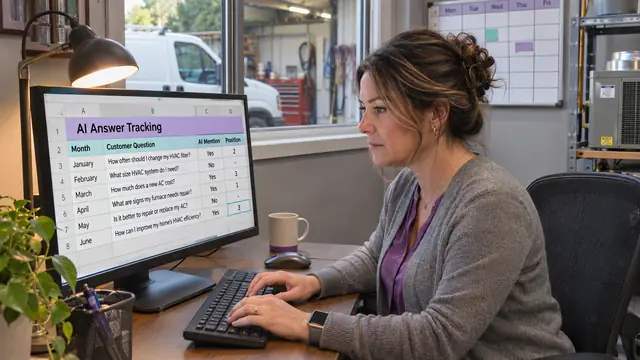
- AI tools do not mention you
A growing share of homeowners ask ChatGPT or read Google's AI summary before choosing who to call. In early 2026, 45% of consumers said they use AI tools for local business recommendations, up from 6% a year earlier (BrightLocal Local Consumer Review Survey, February 2026).
Fix: Run our free 15-minute AI visibility test and follow our guides on getting recommended by ChatGPT and showing up in Google AI Overviews.
Part 2: Why Visitors Are Not Calling
- Your phone number is hard to find or tap
Most people looking for HVAC help are on a phone, often stressed. If the number is buried in the footer or is not tappable, many will go back and call the next company.
Fix: Put a tap-to-call button at the top of every page on mobile, and repeat it after each main section.
- Your reviews are few, old or hidden
Reviews decide a lot. In BrightLocal's 2026 survey, 68% of consumers said they would only use a business rated four stars or higher, and 74% only consider reviews from the last three months (BrightLocal Local Consumer Review Survey, February 2026).
Fix: Ask every happy customer for a review, reply to all of them and show recent reviews on your homepage and service pages.
- Your site loads slowly on phones
A slow site loses people before they see anything. Heavy images, too many plugins and cheap hosting are the usual causes.
Fix: Test your site with Google PageSpeed Insights, compress images, remove plugins you do not use and choose good hosting.
- Your site does not say clearly what you do and where
Visitors should know within five seconds that you fix and install heating and cooling, in their town, and how to reach you. Vague headlines like "Quality you can trust" do not do that.
Fix: Use a headline that names your service and area, such as "AC and furnace repair in Plano, Frisco and Allen", with a call button right below it.
- You give no reason to choose you
Many HVAC sites look the same. If yours does not mention your warranty, response times, financing, licenses or maintenance plans, visitors have no reason to pick you over the next result.
Fix: List three to five clear reasons to choose you near the top of the homepage, and back each one up with a detail or a review.
- Booking is hard
Long forms, no online booking and no way to reach you after hours all cost calls. Phone leads tend to convert far better than form leads in home services, so do not hide your number behind a form (Foundry CRO Home Services Marketing Benchmarks, April 2026).
Fix: Keep forms to four or five fields, add online booking if you can, and say clearly whether you offer emergency or after-hours service.
Quick Self-Audit Checklist
|
Check |
Yes or no |
|
Google Business Profile complete, with posts in the last month |
|
|
Separate page for each core service |
|
|
Page for each main town you serve |
|
|
Same name, address and phone everywhere |
|
|
Answers to common homeowner questions on your site |
|
|
Named by ChatGPT or Google AI for at least one key question |
|
|
Tap-to-call button at the top of every mobile page |
|
|
Reviews from the last three months shown on your site |
|
|
Site loads quickly on a phone |
|
|
Headline names your service and area |
|
|
Clear reasons to choose you |
|
|
Short form or online booking |
|
Every "no" is a fix. Start with the ones in Part 2 if you already get visitors, and Part 1 if you do not.
Fix It Yourself or Start Fresh?
If you have three or four "no" answers, fixing your current site is usually the right call. If you have more than six, or your site is slow and hard to edit, a new site is often faster and cheaper in the long run.
That is what our AEO websites for HVAC companies are built for. We use AI to build them fast, then set them up to be found: separate service and town pages, schema, a tap-to-call layout and Google Business Profile setup, all included before launch.
|
Proof this approach works: Using the same SEO and AEO approach, Trulink.io took a law firm from zero to 22 page-one Google rankings in 72 days, with zero backlinks and zero paid ads. |
|
Free AI Visibility Check Want to know where your HVAC company stands today? Send us your company name and service area. We will check what ChatGPT, Perplexity and Google say when homeowners look for an HVAC company in your area, and send you the results with the first fixes to make. No obligation. |
Frequently Asked Questions: HVAC Website Leads
How many calls should an HVAC website get?
It depends on your market, season and how many people search for HVAC help in your area. The useful number is your own trend: if calls from your website are not growing month to month, something on this list is holding you back.
Is it worth building an HVAC website with AI?
Yes, if it is built properly. AI makes building a site faster and cheaper. What matters is what comes with it: service pages, town pages, schema, reviews and a strong Google Business Profile. A quick AI site without those rarely gets found.
Should I spend on ads instead of fixing my website?
Ads can bring calls quickly, but the calls stop when you stop paying, and ads still send people to your website. Fixing the site makes every ad dollar work harder and builds calls that do not depend on ad spend.
How long until website fixes bring more calls?
Fixes in Part 2, like a tap-to-call button and visible reviews, can help within days. Fixes in Part 1, like new service and town pages, usually take two to four months to show their full effect.